


How to Integrate Zoho CRM with Your Existing Business Applications
November 9, 2026

A CRM should be the central nervous system of your sales and operations. However, if your sales team has to constantly jump between their CRM, an accounting platform, an email marketing tool, and a customer support helpdesk, your software is creating more work than it eliminates. Disconnected applications lead to duplicate data entry, manual exports, delayed reporting, and ultimately, lost revenue. A seamless Zoho CRM integration connects these scattered tools, allowing data to flow automatically and securely across your entire business ecosystem. Here is how modern businesses are breaking down data silos by utilizing native connections and advanced Zoho CRM API integration to build a unified operational machine.
3 Ways to Connect Your Business Ecosystem
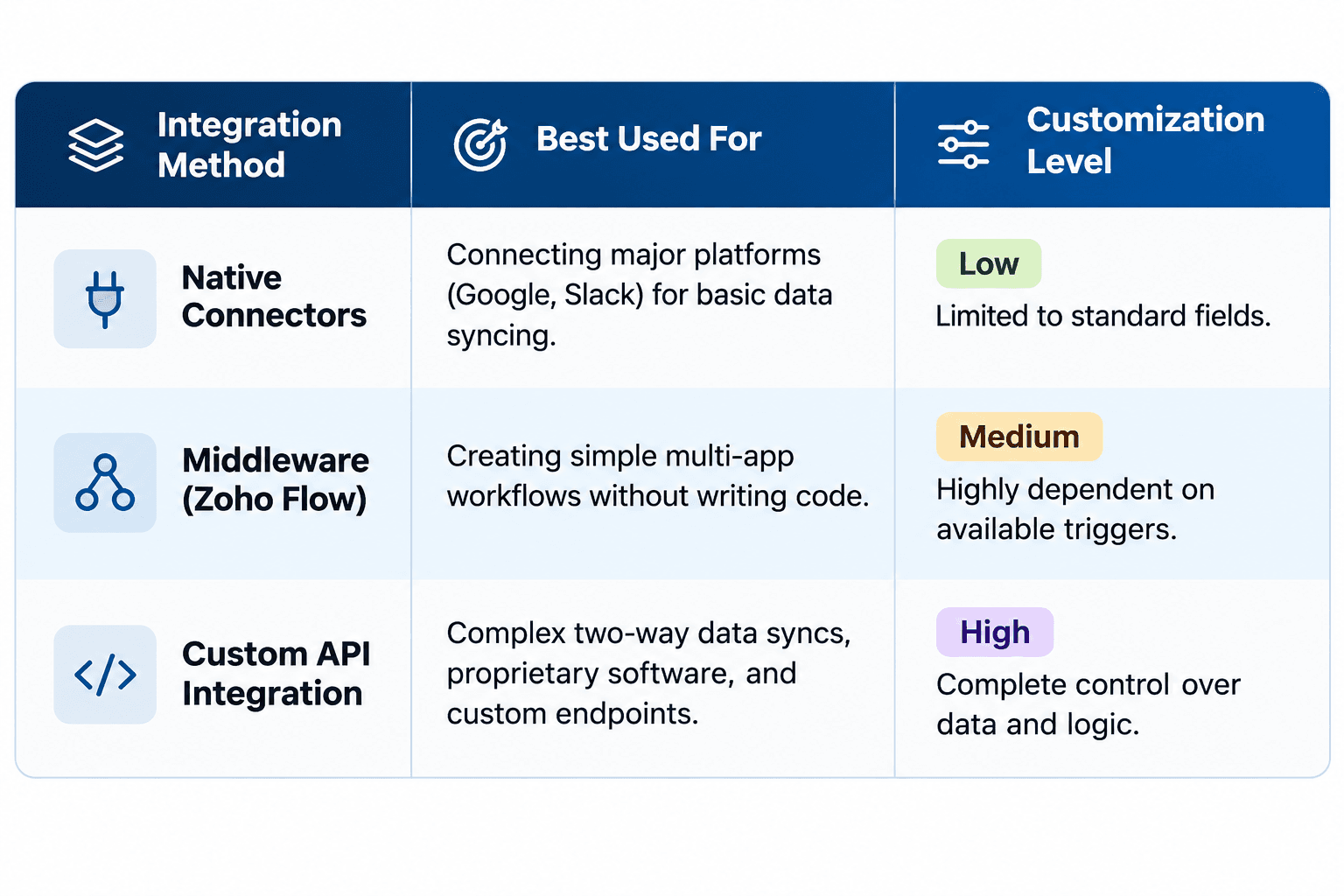
Depending on your technical requirements, data volume, and the software you use, there are three primary paths to achieving a fully integrated Zoho environment:
1. Native Connectors and the Zoho Marketplace
For many popular SaaS applications, integration is practically plug-and-play. The Zoho Marketplace offers hundreds of pre-built extensions for major platforms like Google Workspace, Microsoft 365, Mailchimp, and Slack. These native connectors handle basic Zoho third-party integration by syncing standard fields (like contacts and basic deal stages) with minimal configuration required.
2. Middleware and Workflow Automation (Zoho Flow / Zapier)
When a native connector does not offer the specific trigger you need, middleware acts as the bridge. Tools like Zoho Flow or Zapier allow you to set up customized "If This, Then That" logic between applications without writing code. For instance, you can configure a workflow that automatically creates a Zendesk support ticket if a Zoho CRM deal stage changes to "Implementation Issue."
3. Custom Zoho CRM API Integration
When native connectors fall short or you are using proprietary internal software, a custom integration is required. Zoho’s robust REST API (now operating on V8) allows developers to securely connect specialized software, legacy databases, and complex ERPs directly to the CRM.
The Impact of a Seamless Zoho Third-Party Integration
What does a fully integrated CRM look like in practice? It means your software finally starts talking to each other behind the scenes.
1, Accounting & Finance (QuickBooks, Xero, Stripe): When a deal is marked "Closed Won" in Zoho CRM, the integration instantly generates an invoice in your accounting software and alerts the finance team, eliminating manual data entry errors.
2, Customer Support (Zendesk, Zoho Desk): Sales reps can see a client’s open support tickets directly within their CRM record, ensuring they don't try to upsell a customer who is currently experiencing a critical technical issue.
3, E-Commerce (Shopify, Magento): Online orders automatically create CRM contacts, track purchase history, and trigger targeted post-purchase email campaigns.
Why You Need Professional CRM Integration Services
Connecting two software platforms is easy; ensuring they synchronize data securely, accurately, and without overwriting critical information is where things get complicated. A poorly executed integration can result in duplicate records, endless error loops, or compromised API security. At Mango Technologies, we specialize in comprehensive CRM integration services to ensure your tech stack operates flawlessly. We do not just pass data from Point A to Point B. Our approach includes:
- Architecture & Field Mapping: We map exactly how data should flow between systems, determining which application acts as the "source of truth" to prevent data conflicts.
- Secure Authentication: We handle all OAuth 2.0 configuration, secure API key management, and webhook setups to ensure your data transfer is bulletproof.
- Custom Request Endpoints: When out-of-the-box solutions fail, our developers build secure custom endpoints tailored to your exact operational workflows.
- Testing & Troubleshooting: We rigorously test sync frequencies and validation rules in a sandbox environment before pushing your integration live.
You shouldn't have to hire additional employees just to manually move data between screens.
Contact Mango Technologies today, and let us build a unified, automated ecosystem that scales with your business.